How to play GamezMaster
GamezMaster is a browser-based multiplayer military strategy game. Build a base on a shared world map, grow your economy, train an army, and fight for territory and resources. This guide covers everything you need to know.
Getting started
First steps
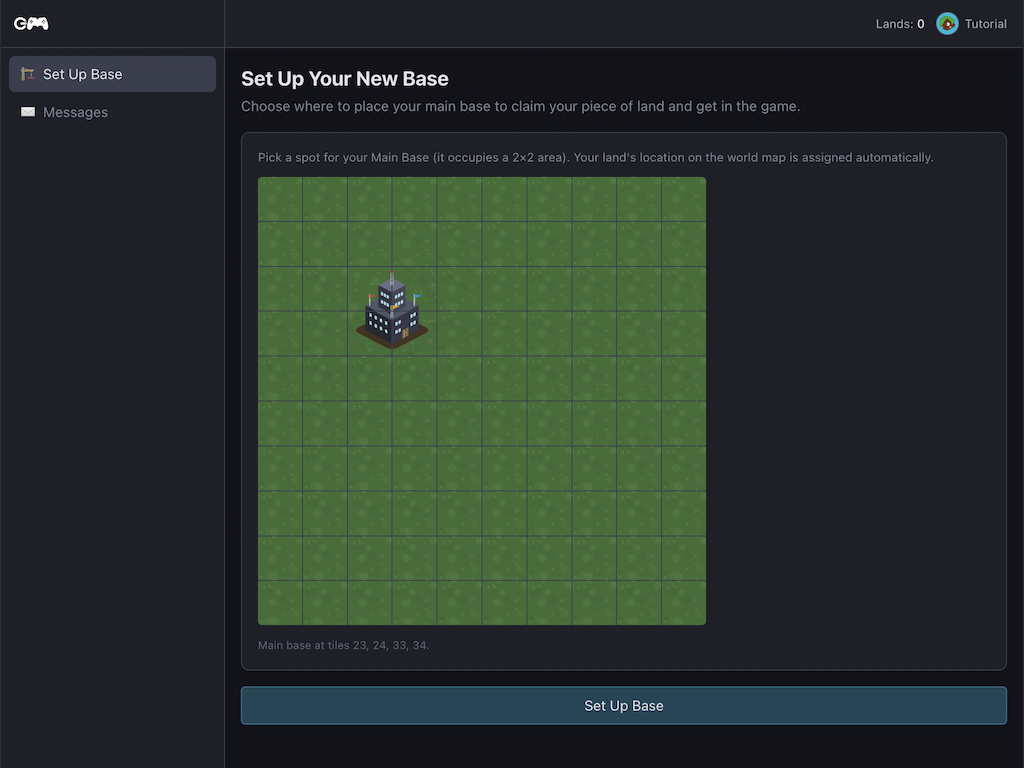
When you first register, you place your Main Base on a free tile on the world map. You start with $100,000 in your land treasury and spawn protection — a 48-hour window during which no one can attack you, and you cannot attack others.
The recommended order for every new player:
- Build a Powerplant — instantly completed for new players
- Build a resource building (Oil Refinery, Steel Mill, Pharma Lab or Black Market) — also instant
- Sell your resources on the Market to earn money
- Build more production and military buildings
- Train units to defend when protection expires
Speed boost for new & returning players
When you found a brand-new base (first-time player or respawning after elimination), you automatically receive a 48-hour speed boost. During this window:
- Buildings complete construction faster
- Unit training completes faster
- Resources accumulate at an accelerated rate
The boost runs alongside your spawn protection. The combination means you can build out a solid base before you become a valid attack target.
Losing & regaining lands
If an enemy destroys your Main Base, they capture the land. All its buildings, resources and at-base units instantly become theirs.
Lose your last land and you are eliminated. Your account stays active — you just own no territory. You can immediately found a new base on the world map, and the speed boost and spawn protection apply again from scratch.
There are two ways to gain a land:
- Found a free base — only when you own zero lands. Choose any unoccupied tile.
- Capture an enemy base — destroy their Main Base in an attack. No speed boost is granted for captured lands.
Your land
Overview
Every land is a 10×10 grid of tiles. Buildings occupy either 1×1 or 2×2 tiles. Click an empty tile and choose from the build menu. Multiple buildings can be under construction simultaneously — there is no build queue.
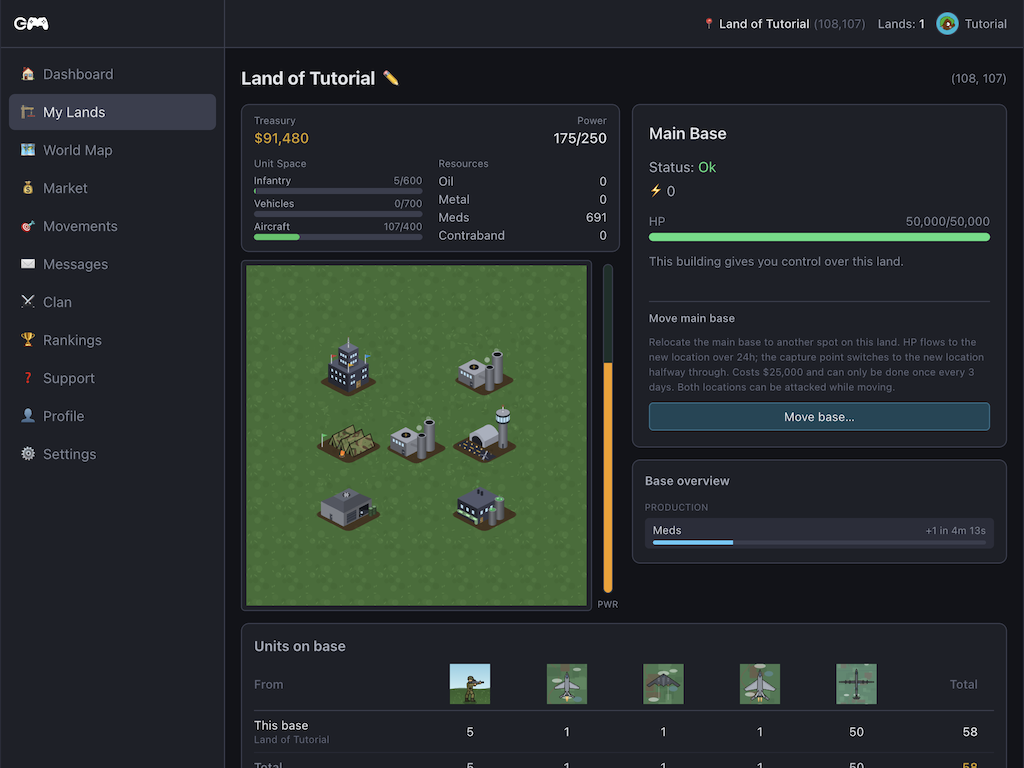
Click any existing building to see its status, HP, available actions (toggle online/offline, sell, repair) and — for training buildings — the train panel.
Low power
Every Powerplant generates 125 power. Each building consumes a fixed amount of power when online. If total consumption exceeds total supply your base enters low-power mode.
In low-power mode:
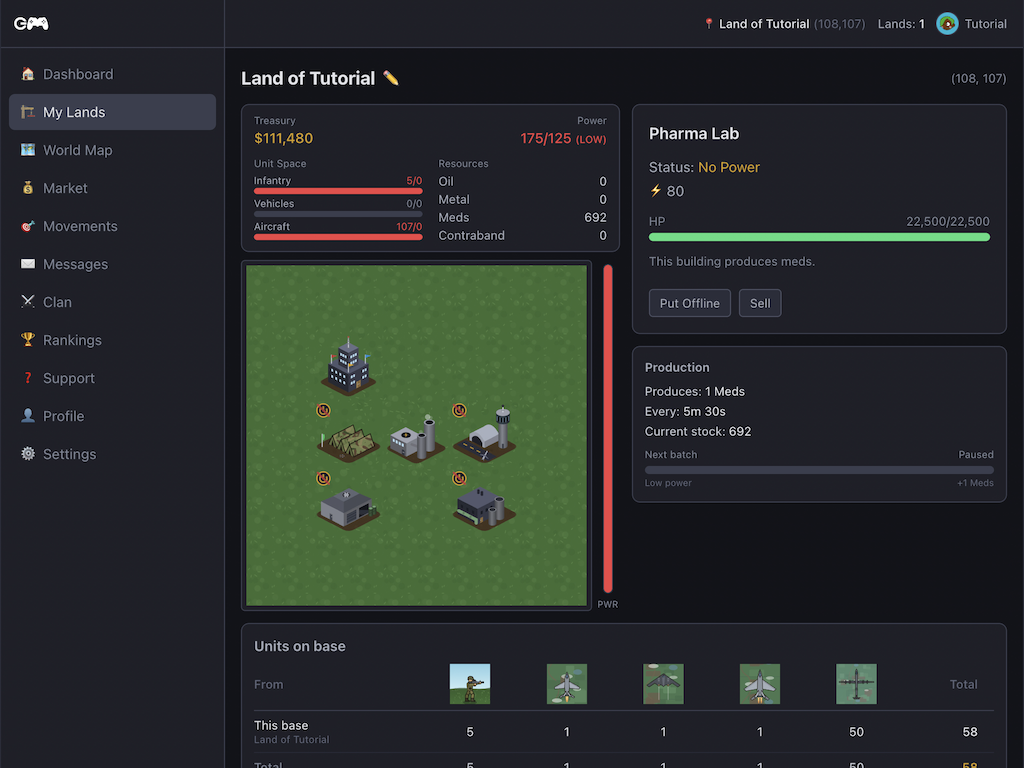
- All training buildings go offline — unit training pauses
- All resource buildings go offline — no resource production
- All defense buildings go offline — SAM sites, pillboxes and ATGM launchers stop firing
- The Main Base and Powerplants themselves always stay active

To fix low power: build more Powerplants, or take non-essential buildings offline manually. Toggling a building offline removes its power draw immediately.
Selling buildings
Any building except the real Main Base can be sold. Select the building and press Sell. The refund is up to 50% of the build cost, scaled by the building's current HP:
A pristine building returns half its cost. A heavily damaged one may return almost nothing. Repair first if you want a better refund.
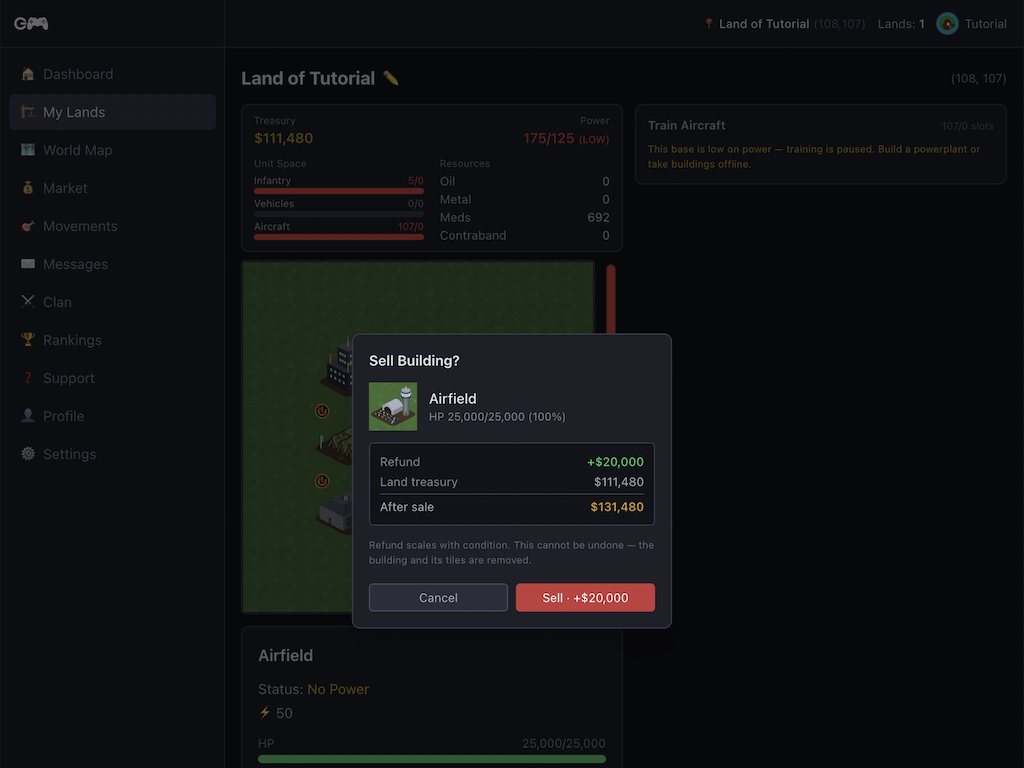
Under-construction buildings can also be cancelled — you get a partial refund based on build progress.
Repairing buildings
After an attack your buildings may be damaged. Select a damaged building and use the Repair section to queue a repair. Repair costs and time both scale with the amount of HP you are restoring:
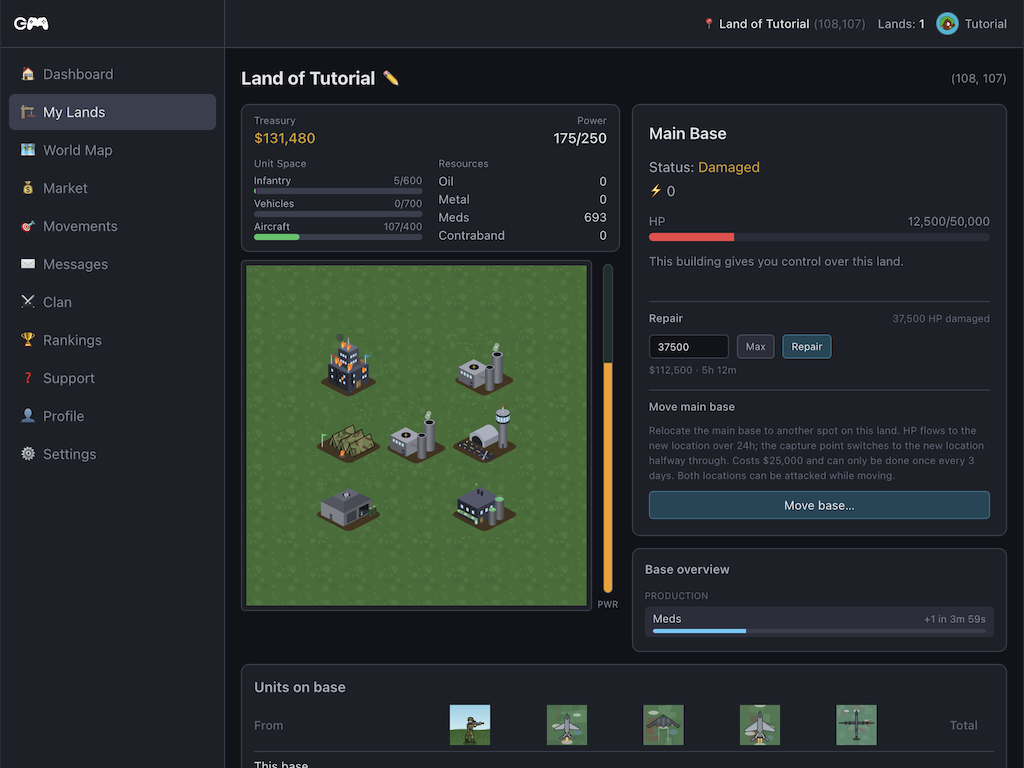
You can queue additional repair on top of an in-progress repair. Repairs continue even during low power — the repair queue is power-independent.
You can also cancel an active repair for a partial refund of the undelivered portion.
Buildings
All buildings now start construction simultaneously — there is no queue. Buildings under construction are visible on the grid and targetable by enemies (HP scales with progress).
Infrastructure
Main Base
FreeThis is your main base. Everything you do on this piece of land is controlled by this base. If this base is lost or destroyed, you will lose control over this piece of land.
Powerplant
A powerplant delivers power. Power is needed for almost every building. If you don't have enough power to support your base, some buildings will become inactive.
Military training
Each training building runs its own independent queue. Multiple buildings of the same type let you train several batches in parallel.
Barracks
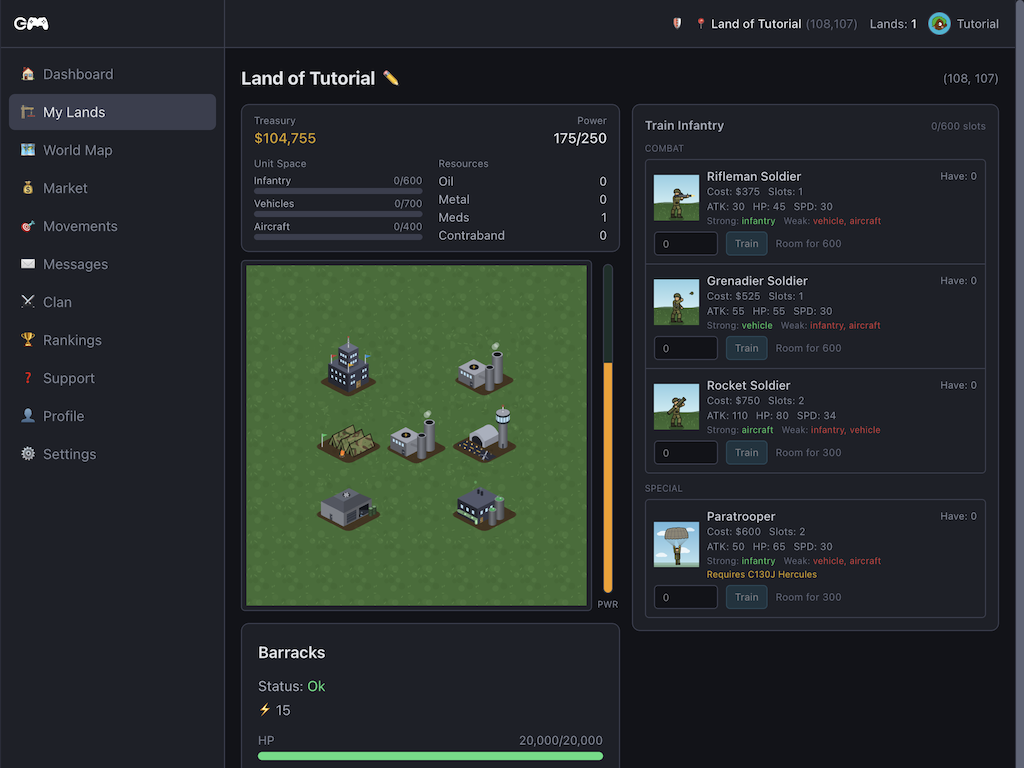
You can train several types of infantry in your barracks. Training units costs time. If you have several barracks you can train infantry faster.
Airfield
You can train several air units in your hangar. Training units costs time. If you have several hangars you can train air units faster.
Garage
You can train several vehicles in your garage. Training units costs time. If you have several garages you can train vehicles faster.
Resource production
Each building produces one resource type independently. The first income building on a new land is free and instant. Each requires 80 power.
Oil Refinery
This building produces oil. Oil can be sold to gain money. Oil prices change from time to time, try to get the best price for your oil!
Steel Mill
This building produces metal. Metal can be sold to gain money. Metal prices change from time to time, try to get the best price for your metal!
Pharma Lab
This building produces meds. Meds can be sold to gain money. Med prices change from time to time, try to get the best price for your meds!
Black Market
This building produces contraband. Contraband can be sold to gain money. Contraband prices change from time to time, try to get the best price for your contraband!
Defense buildings
Defense buildings automatically engage matching unit types when an attack arrives. They require power to function. Kill tallies are tracked per building.
SAM Site
This is an anti-air defense building. Whenever you have enough power, and an airstrike comes in, this building will help defend your land.
MG Pillbox
This is an anti-infantry defense building. Whenever you have enough power, and an infantry attack comes in, this building will help defend your land.
ATGM Launcher
This is an anti-vehicle defense building. Whenever you have enough power, and a vehicle attack comes in, this building will help defend your land.
Fake Main Base
This is a fake main base. It can be used to distract enemies from your real main base.
Units
Units are trained at military buildings. Speed is in minutes per world coordinate — lower is faster. Every unit is strong against one category and weak against another.
Infantry
Rifleman Soldier
infantryGrenadier Soldier
infantryRocket Soldier
infantryParatrooper
infantryVehicles
M60 Patton
vehicleChieftain
vehicleLAV-AD
vehicleAN/TWQ-1 Avenger
vehicleM1126 Stryker
vehicleAircraft
Aircraft are the fastest units. The C130J is a transport for Paratroopers; the U-2 is spy-only.
F-35 Lightning II
aircraftB-2 Spirit
aircraftF-22 Raptor
aircraftC130J Hercules
aircraftAH-64 Apache
aircraftLockheed U-2
aircraftDrones
Bomber Drone
droneResources & market
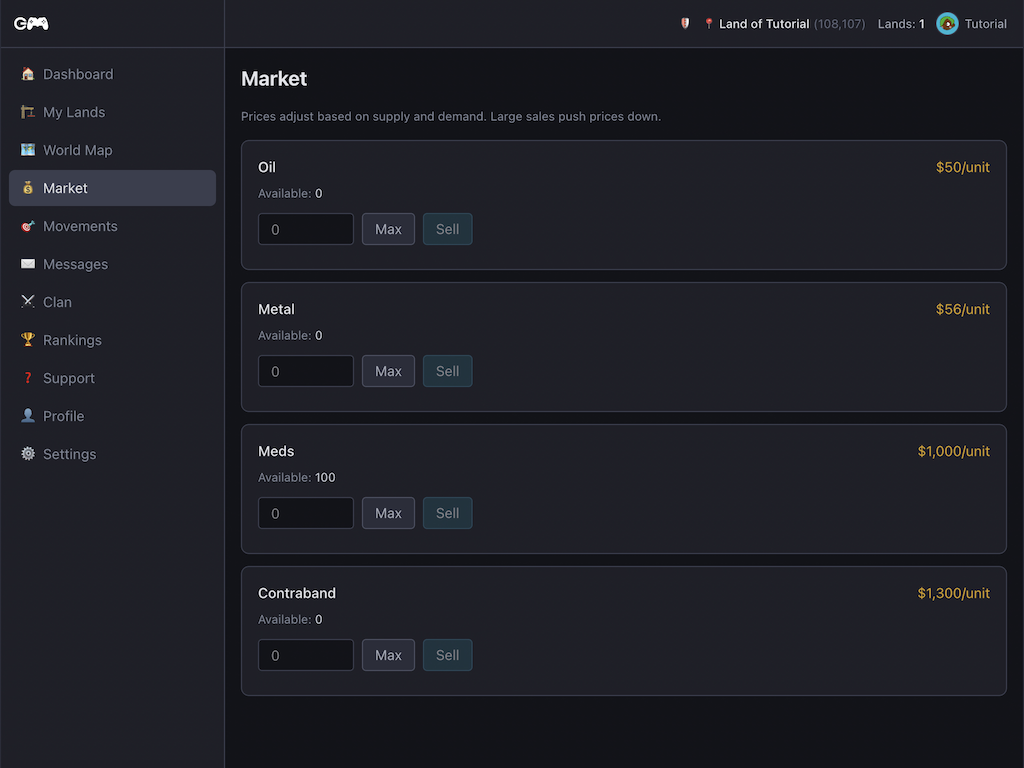
Income buildings produce resources continuously. Sell them on the Market for cash — prices fluctuate based on recent supply. Sell when prices are high; wait them out when they're low.
| Resource | Per cycle | Cycle | Base price | ~$/hr |
|---|---|---|---|---|
| Oil | 10 | 4m | $50 | $6,667 |
| Metal | 16 | 9m | $56 | $5,973 |
| Meds | 1 | 11m | $1,000 | $5,455 |
| Contraband | 1 | 15m | $1,300 | $5,200 |
Prices shown are equilibrium (base) values. Selling large amounts temporarily depresses the price.
World map
The world map shows all occupied and unoccupied tiles. Click a city to see owner info and available actions (attack, spy, support).
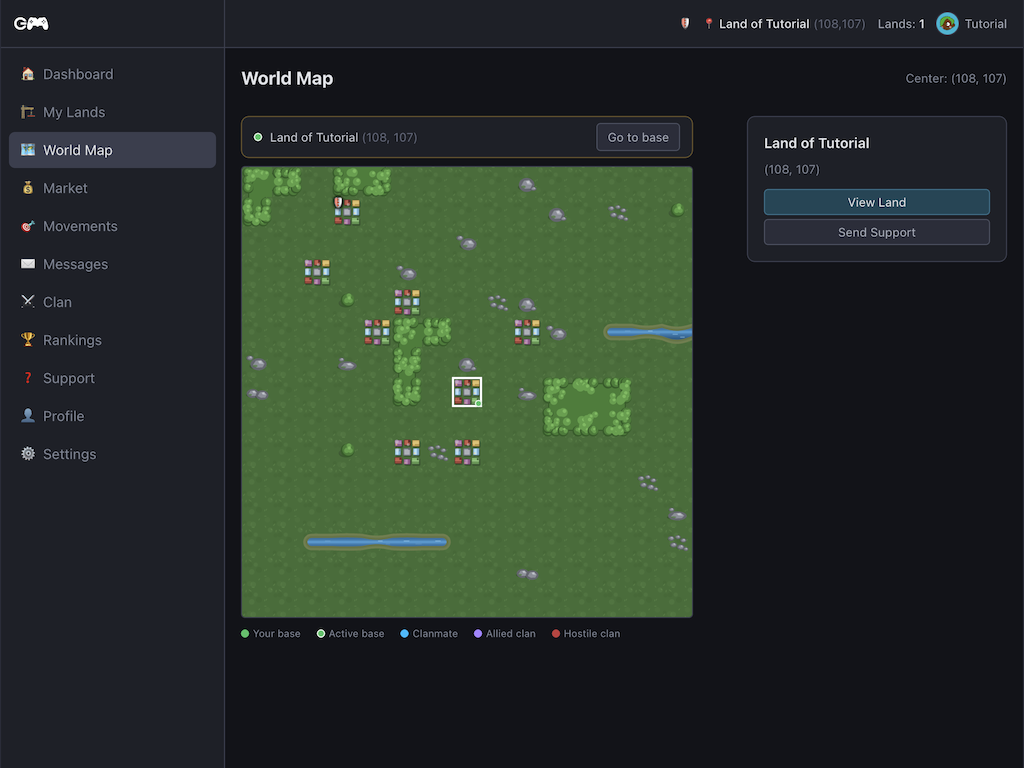
- Green — your own base
- Sky blue — clanmate's base
- Violet — allied clan's base
- Red — enemy (at-war) base
- 🛡️ — player is under protection (cannot be attacked)
Combat
Combat resolves instantly when an attack arrives. Both sides deal damage simultaneously. Counter matchups (strong/weak) determine how effective each unit category is against the other.
Attacking
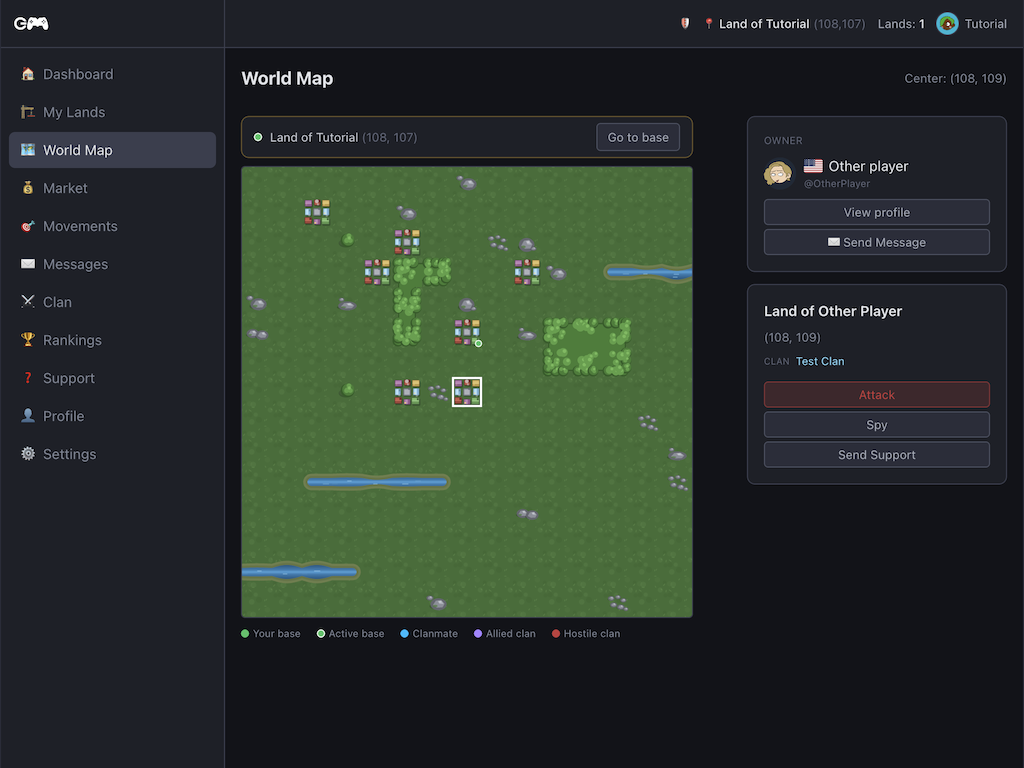
Click a city on the world map → Attack. Choose your units, the entry side (top/bottom/left/right), and confirm. Your units travel to the target — time depends on distance and your slowest unit.
Destroying the Main Base captures the land. Otherwise, survivors return with any loot they could carry.
Defending
You don't need to be online. Defense buildings and at-base units engage attackers automatically. After any attack you receive a battle report with full details.
Spying

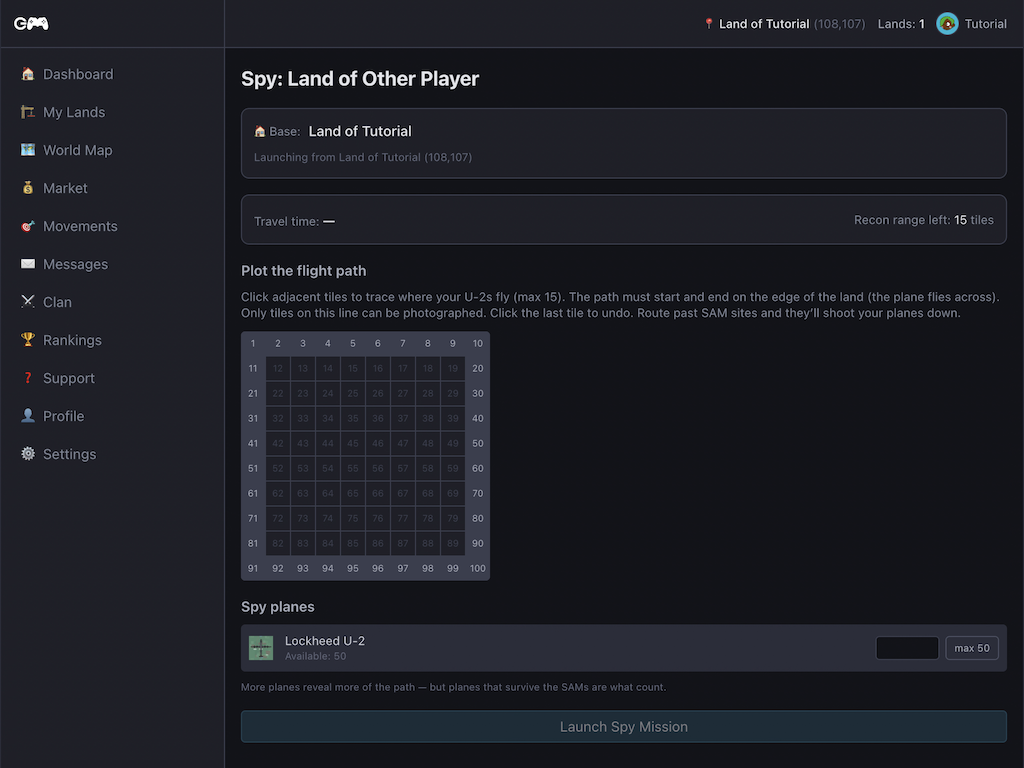
Send Lockheed U-2 spy planes to reveal an enemy base layout. More planes = more tiles revealed.
If no planes are shot down the mission is completely silent — the defender receives no notification. Only when SAMs intercept planes does the defender get a message (how many were downed, and a hint about where they came from based on the wreckage).
Supporting allies
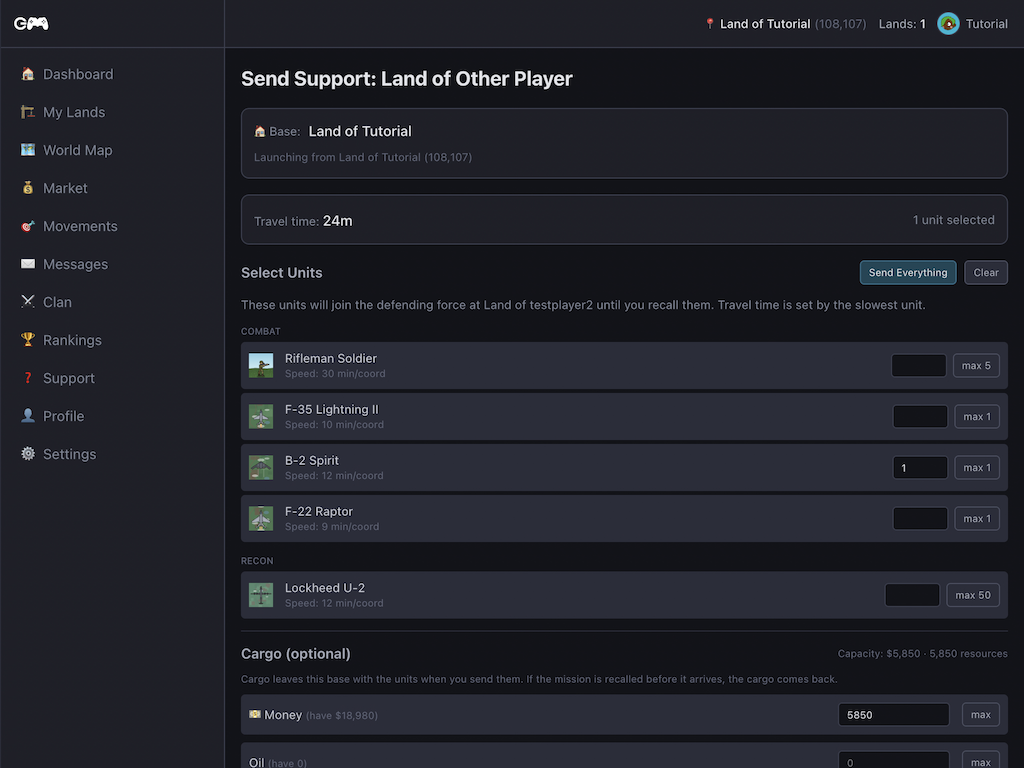
Station your units at a friendly base to help defend it. Units remain yours and reserve capacity at your home base. They can be recalled anytime. If the host is attacked your units fight alongside theirs.
Movements
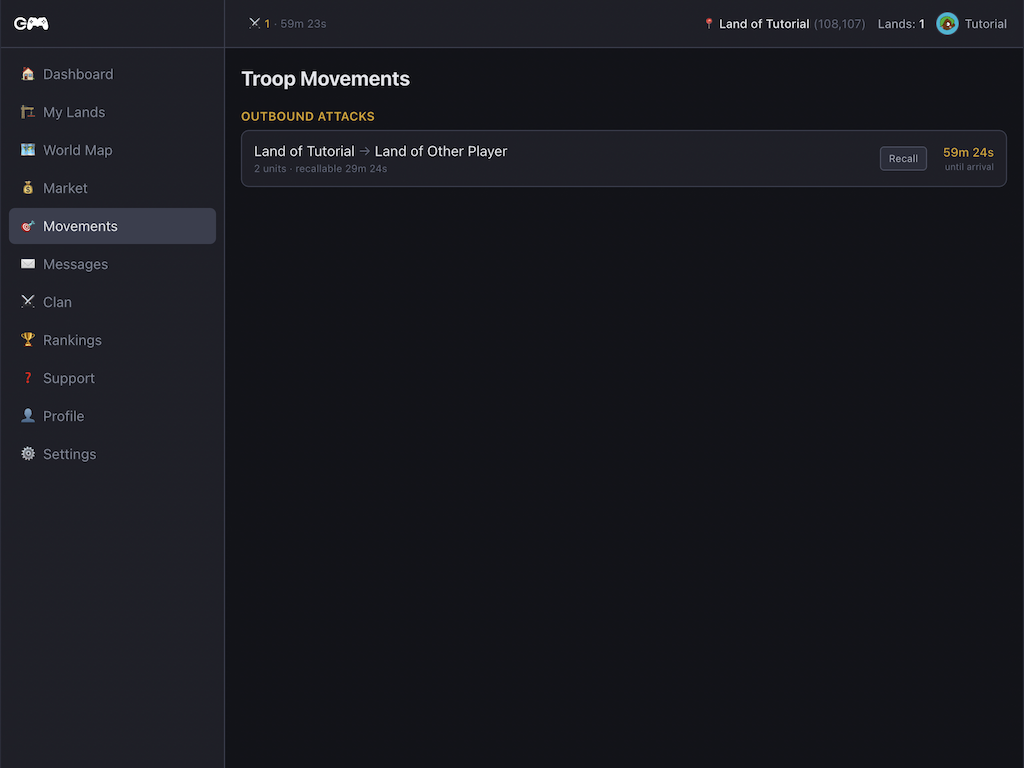
The Movements page shows every attack, spy mission and support dispatch in flight. Outbound attacks can be recalled within roughly the first half of the journey. Incoming attacks show ETA but not composition — that's fog of war.
Your account
Profile & avatar
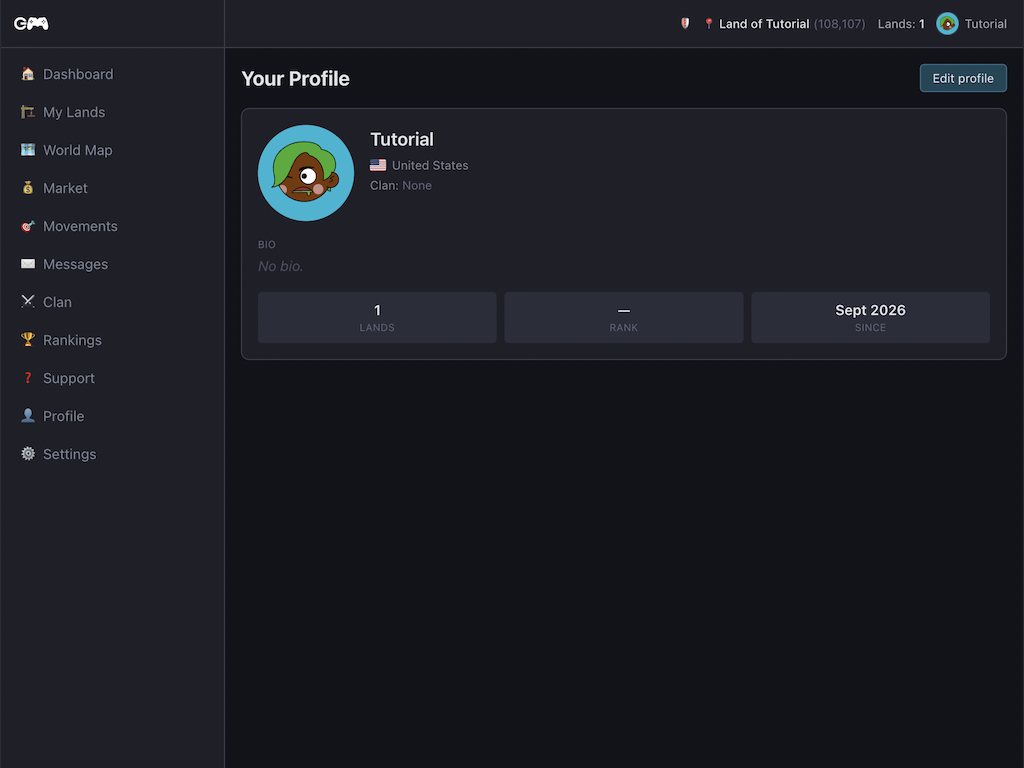
Your public profile shows your username, display name, country flag, avatar and bio. Edit it from your player page (click your name in the top bar). You can customise:
- Display name — shown instead of username in most places (max 30 chars)
- Country flag — set from a dropdown of all countries
- Bio — up to 150 characters, supports rich text links
- Avatar — choose a style (Classic / Minimal / Personas), then customise background colour, skin, hair, eyes, accessories and facial features. Use Randomise for a quick result or fine-tune each option manually.
Settings
Find account settings via the Settings menu item. From here you can:
- Change email address — enter your current password and a new email. A verification link is sent to the new address; your old email stays active until confirmed.
- Change password — requires your current password, then enter the new one twice to confirm. A security notice is sent to your registered email.
- Language — switch between English and Dutch instantly. The preference is saved to your account so it follows you across devices.
- Delete account — schedules deletion after a 7-day grace period. You can cancel within that window. Deletion is permanent and cannot be undone.
Support tickets
Have a question, found a bug, or want to report a player? Use the built-in support ticket system — accessible from the Support link in the navigation.
How it works:
- Open a new ticket and choose a category (Bug report, Question, Player report, Other)
- Write your message — be as specific as possible; include land names or screenshots if relevant
- Staff will reply in your ticket thread. You receive a message notification when they do.
- Reply to continue the conversation. The ticket re-opens automatically when you reply.
- The ticket closes once the issue is resolved.
Install as app
GamezMaster is a Progressive Web App (PWA) — you can install it on your device for a full-screen, app-like experience without going through an app store. It works on iOS, Android and desktop (Chrome, Edge, Safari).
iPhone / iPad (Safari)
- Open GamezMaster in Safari (must be Safari, not Chrome)
- Tap the Share button (box with arrow) at the bottom of the screen
- Scroll down and tap "Add to Home Screen"
- Give it a name and tap Add
Android (Chrome)
- Open GamezMaster in Chrome
- Tap the three-dot menu (⋮) in the top right
- Tap "Add to Home screen" or "Install app"
- Confirm by tapping Add
Desktop (Chrome / Edge)
- Open GamezMaster in Chrome or Edge
- Look for the install icon (⊕) in the address bar, or open the browser menu and choose "Install GamezMaster"
- Click Install in the dialog that appears
Push notifications
When the game needs your attention — an incoming attack, a battle report, a message, a training order completing — it can send a push notification to your device even when the browser is closed.
To enable: open GamezMaster in the browser (or installed app) and accept the notification permission prompt when it appears. If you dismissed it, you can re-enable notifications in your browser or device settings under Site settings → Notifications.
Clans
Clans are player groups. Members share an alliance board, coordinate attacks, and can declare wars or forge alliances with other clans.
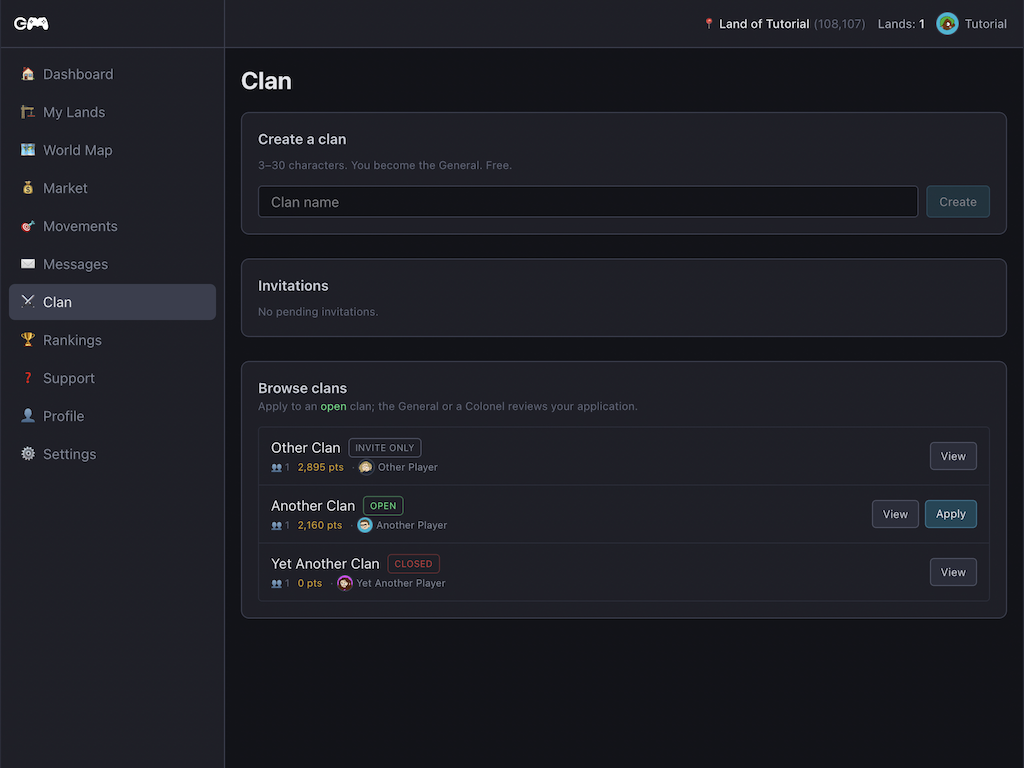
Basics & join policy
Clan roles:
- General (Owner) — full control, sets join policy, can transfer ownership
- Colonel (Manager) — manages members and diplomacy
- Commander (Member) — basic access, can post messages
The General sets how new players can join:
- Open — anyone can submit an application; leadership approves it
- Invite only — leadership sends invites; no public applications
- Closed — no new members accepted at all
Clan wars

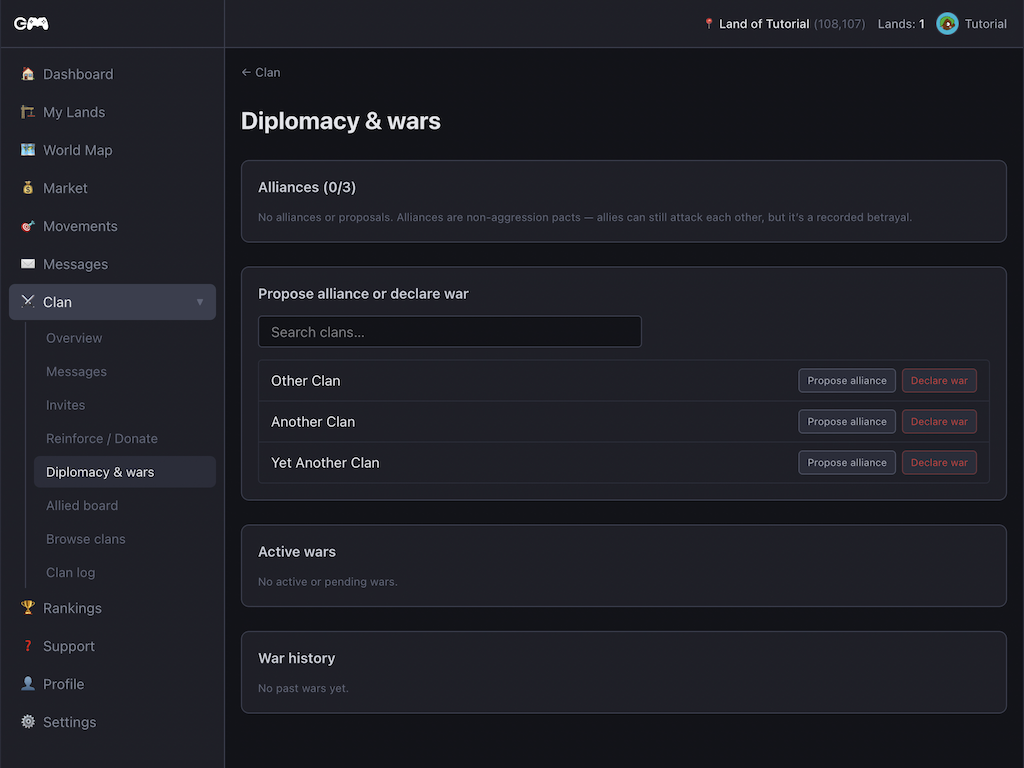
Generals and Colonels can declare war on another clan. Both clans' members appear with a red marker on each other's world map. Wars expire automatically after a set duration if neither side acts.
Alliances
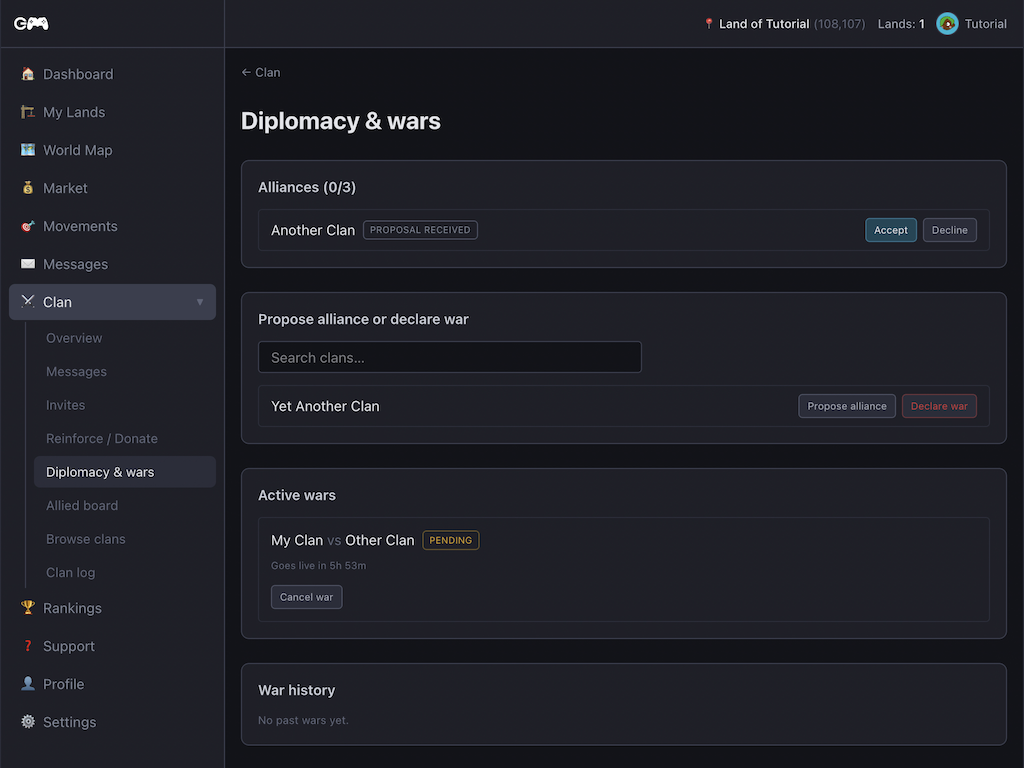
Propose an alliance to another clan — their leadership must accept. Allied members appear violet on the map. Attacking an ally's member records a betrayal flag; the betrayed clan's leadership can forgive it. Either side can end an alliance at any time.
Protection & vacation
Spawn protection
Granted automatically when founding a new base. Lasts 48 hours or until you reach 250 total units. While protected: no attacks, no attacking others. End it early from your dashboard if you want to start sooner.
Vacation mode
Pause your bases and become untargetable. There is a 24-hour activation windowduring which you stay attackable and cannot act offensively. Once fully active everything freezes.
Minimum stay: 7 days. Requires no support units deployed. Cancel within the 24-hour window by pressing "Cancel vacation request" on your dashboard.
Rankings

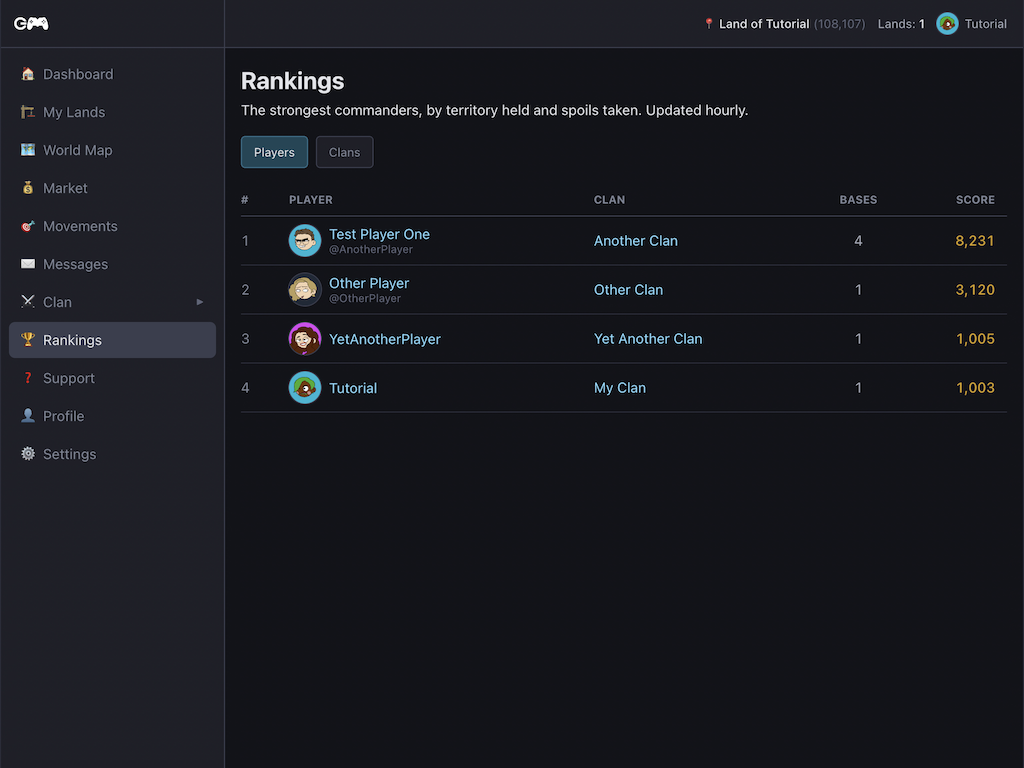
Your score is calculated from:
- Bases — 1,000 points per land you control
- Loot — points for resources and money plundered
- Defense — small bonus per raid repelled
- Combat value — points for buildings and units destroyed
- Spy recon — small bonus per successful spy mission
Territory is always the dominant factor. Rankings update periodically.
Ready to play?
Create a free account